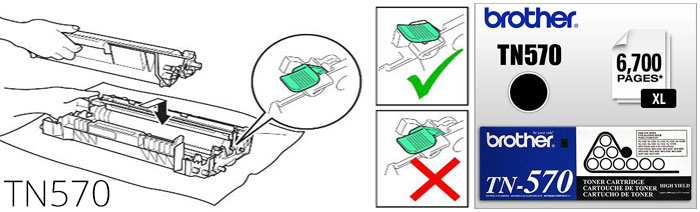
Brother TN570 Toner Reset Instruction - My Cartridge Store
If you have a Brother multi-function (HL series) machine and recently replaced
your toner cartridge, you can manually reset the toner remaining.
1. Delete any remaining jobs that may be in the Print Queue before replacing the
Toner or Drum Unit.
2. Turn off printer
3. Open front door and remove Drum and Toner Assembly
4. Remove Toner from Drum Unit
5. Replace Toner Cartridge (toner will not necessarily click and lock into Drum
Unit)
6. Place drum and toner unit back into the machine
7. Turn on machine
8. Close the front door (Toner light should turn off)
Multifunction Device (DCP/MFC series):
If you have a Brother multi-function (DCP/MFC series) machine and recently
replaced your toner cartridge, you can manually reset the toner remaining
1. Open the door where the toner goes.
2. Press the "back" button.
3. Press *00. (Do not respond to the query about the drum)
4. It should say accepted on the display screen
5. Close the door.
- Brother MFC-8220
- Brother MFC-8440
- Brother MFC-8640d
- Brother MFC-8840d
- Brother MFC-8840dn
- Brother HL-5100
- Brother HL-5130
- Brother HL-5140
- Brother HL-5150D
- Brother HL-5150DLT
- Brother HL-5170DN
- Brother HL-5170DNLT
- Brother DCP-8040
- Brother DCP-8040D
- Brother DCP-8045D
- Brother MFC-8120
- Brother MFC-8440D
- Brother MFC-8840
- Brother HL-5140LT
- Brother HL-5170D
- Brother HL-5170N
- Brother DCP-8045DN
- Brother HL-5170DLT