How to Reset a Brother TN-460 Toner Cartridge
Step 1. First, delete any print jobs that might be in the print queue.
Step 2. Turn off the printer and open the front cover where the toner and drum is inserted.
Step 3. Remove the toner and drum unit from the machine
Step 4. Put both of the units back into the machine.
Step 5. Turn the printer back on and close the front door. Proceed to print.
The following instructions are for Brother DCP/MFC series.
Step 1. Open the front cover where the toner and drum is inserted.
Step 2. Press the Back button on the machine's display
Step 3. Press Star Zero Zero (*00). Do not press 1!
Step 4. The LCD display screen should say "Accepted."
Step 5. Close the front cover and resume printing.
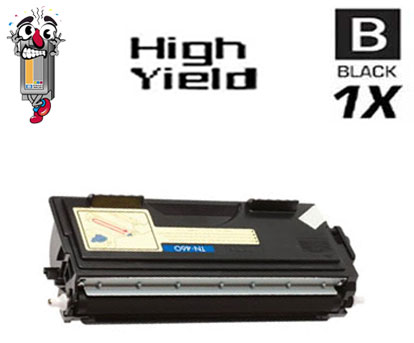
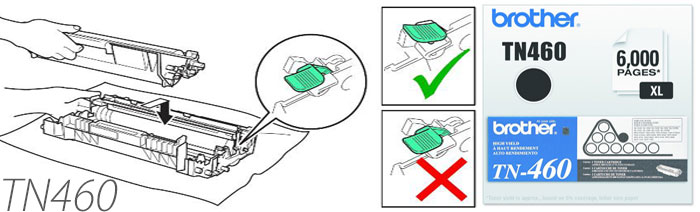
Brother TN460
How To Reset the 'Toner Life End' Message on Your Brother Toner Printer

- Brother MFC-1260
- Brother MFC-1270
- Brother MFC-2500
- Brother MFC-P2500
- Brother MFC-8300
- Brother MFC-8500
- Brother MFC-8600
- Brother MFC-8700
- Brother MFC-9600
- Brother MFC-9650
- Brother MFC-9700
- Brother MFC-9750
- Brother MFC-9800
- Brother MFC-9850
- Brother MFC-9870
- Brother HL-1030
- Brother HL-1230
- Brother HL-1240
- Brother HL-1250
- Brother HL-1270n
- Brother HL-1435
- Brother HL-1440
- Brother HL-1450
- Brother HL-1470n
- Brother HL-P2500
- Brother Intellifax 4100
- Brother Intellifax 4100e
- Brother Intellifax 4750e
- Brother Intellifax 4750p
- Brother Intellifax 5750e
- Brother Intellifax 5750p
- Brother DCP-1200
- Brother DCP-1400
- Brother FAX 8350p
- Brother FAX 8750p
- Pitney Bowes Laser 1630
- Brother Intellifax 4750
- Brother Intellifax 5750
- Brother Intellifax 8500
- Brother Intellifax 8500p