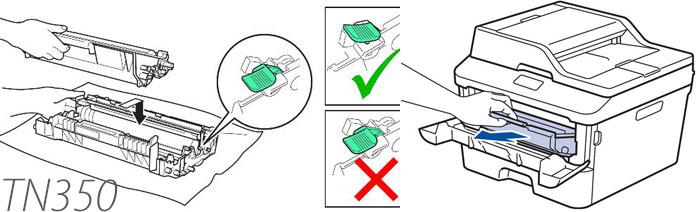
Step 1 - Open the front cover of the your Brother MFC-7820N and Brother MFC-7420N.
Step 2 - While the front cover is open and the machine is on, push "options".
Step 3 - Then push start.
Step 4 - Quickly then type in the number "1" then the number "0" (altogether typing in the number "10"). If you are not quick enough to perform this step, you''ll then have to start from the beginning.
Step 5 - If step 4 was done successful, your Brother MFC-7820N or Brother MFC-7420N machine will display the word "accepted".
Step 6 - Once its done, the toner cartridge is already reset. Refresh your computer and check out the printer setting to make sure that the Brother MFC-7820N or Brother MFC-7420N has successfully recognized the toner cartridge inside it.
Happen to be looking for a Brother TN-350 toner cartridge for your Brother MFC-7820N or Brother MFC-7420N all-in-one laser printers? Then mycartridgestore.com, the remanufactured toner cartridges specialist, offers a wide selection of remanufactured Brother toner cartridges that are ideal replacement cartridges for your Brother laser printers and multifunction centers with its page quality and print quality comparable to OEM-branded cartridges but are offered at a lower price to let you save on your printing expenses. Plus, all our products are backed with one-year warranty.