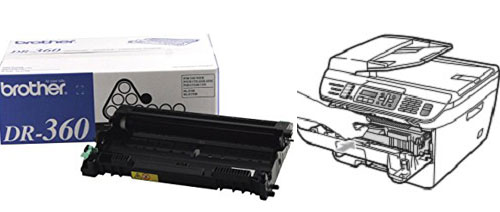
How to Reset Brother DR-360 - My Cartridge Store
When you replace the drum unit with a new one, you need to reset the drum counter to 100% by completing the following steps.
For HL Printers HL-2140, HL-2150N, and HL-2170W
1 - Make sure that the printer is turned on and the Drum LED is blinking. Open the front cover.
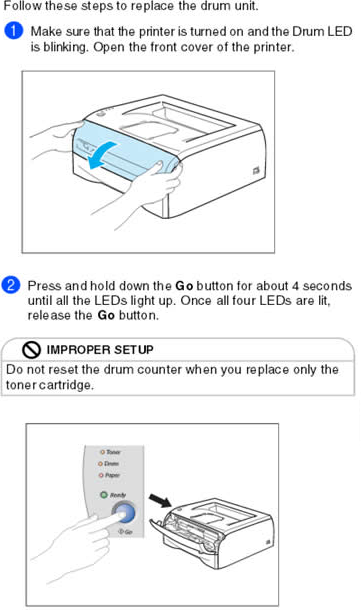
2 - Press and hold
down the Go button for
about 4 seconds until all the LEDs light up. Once all four LEDs are lit, release
the Go button and
close the cover. Your drum is reset to 100%.

1 - Put the new drum unit and toner cartridge assembly in the Brother MFC or DCP printer.

2 - Press the Clear/Back button.
3 - Press 1 for yes to confirm new drum installed4 - When the LCD shows Accepted, close the front cover
5 - Your drum is reset to 100%